Chrome's Local Network Access: What It Breaks and How to Fix It
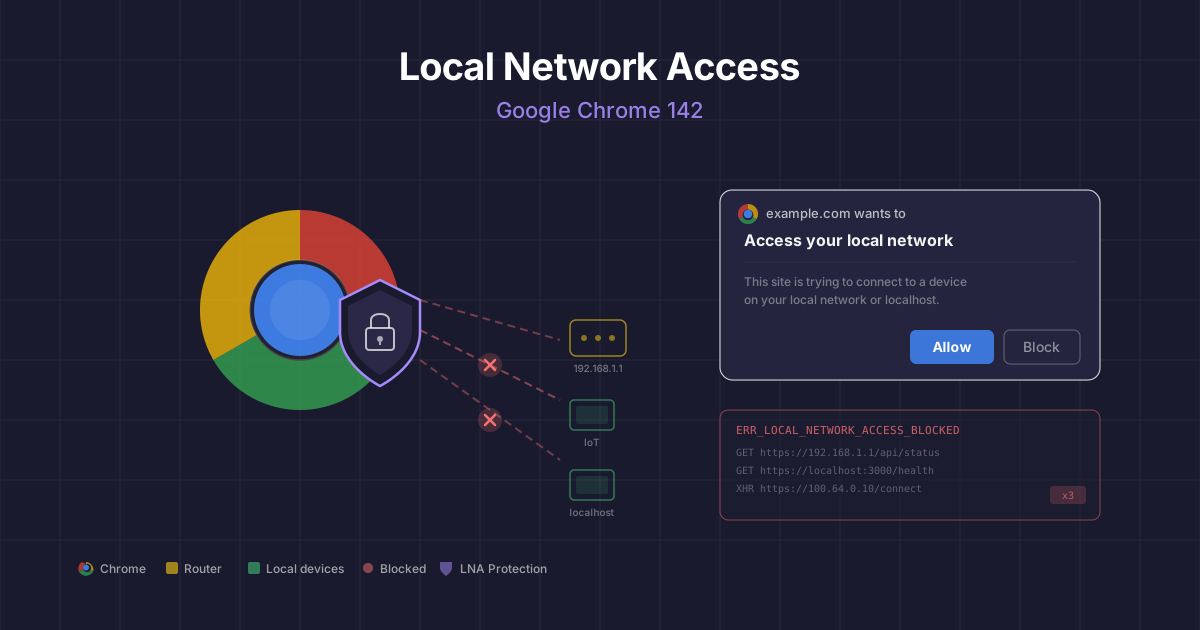
On 28 October 2025, Google Chrome 142 shipped a feature that may have quietly broken things across your organisation: Local Network Access (LNA). It’s a permission gate that blocks public websites from making requests to private network addresses — your routers, intranet services, IoT devices, and anything on localhost. The security rationale is sound. The collateral damage is significant.
If you run a VPN tool like ZScaler, serve Google Ads, or have any internal tooling that communicates between public sites and private infrastructure, this might affect you.
What Local Network Access Actually Does
LNA — previously known as Private Network Access (PNA) — restricts any request from a public website to a private IP address (10.x.x.x, 172.16.x.x, 192.168.x.x), a loopback address (127.0.0.1, localhost), or a .local domain. These requests now trigger a browser permission prompt, and if the user denies it (or doesn’t understand what they’re looking at), the request silently fails.
Chrome determines a request is targeting the local network if:
- The destination hostname is a private IP literal (e.g.
192.168.0.1) - The destination hostname is a
.localdomain - The
fetch()call includestargetAddressSpace: "local"
This applies to fetch(), XMLHttpRequest, subresource loads, and — critically — iframe embeds (Chrome for Developers — Local Network Access).
The feature shipped in Chrome 142 on desktop platforms and expanded to include WebSocket and WebTransport connections in Chrome 147 (Chrome 142 Release Notes).
The Security Case: Killing a Class of CSRF Attacks
The motivation behind LNA is legitimate and long overdue. For years, attackers have exploited the fact that any public website could silently make requests to devices on your local network. A malicious page could probe 192.168.1.1 to fingerprint your router, attempt default credentials, or change DNS settings — all without any browser warning.
These aren’t theoretical attacks. Cross-Site Request Forgery (CSRF) against routers and local devices has affected hundreds of thousands of users, redirecting them to malicious servers by silently reconfiguring their network infrastructure.
“Gating the ability for websites to perform these requests behind a permission mitigates the risk of cross-site request forgery attacks against local network devices such as routers, and reduces the ability of sites to fingerprint the user’s local network.”
— Chrome for Developers, Local Network Access blog post
LNA doesn’t just protect against deliberate attacks. It also reduces the attack surface for cross-site scripting (XSS) payloads. Previously, if an attacker injected JavaScript into a vulnerable public site, that script could reach into the user’s private network — accessing internal APIs, admin panels, or development servers. With LNA, even a successful XSS injection on a public site cannot silently pivot to private network resources without the user explicitly granting permission.
This is a meaningful improvement. XSS remains the most common web vulnerability, and limiting what injected scripts can reach significantly reduces the blast radius of an exploit.
The ZScaler Problem: When Your VPN Looks Like the Local Network
Here’s where things get messy. ZScaler Client Connector — and similar Zero Trust Network Access (ZTNA) tools like Twingate and Jamf Trust — route traffic to private applications through Carrier-Grade NAT (CGNAT) addresses in the 100.64.0.0/10 range. When an application does a DNS lookup for a hostname defined as a private app in ZScaler’s cloud, the response resolves to something like 100.64.0.10 (ZScaler Community — CGNAT and Chromium LNA).
Chrome treats CGNAT addresses as private network space. So when a public website makes a request that ZScaler routes through its tunnel — even to a perfectly legitimate corporate resource — Chrome sees it as a local network request and blocks it.
This breaks:
- Iframe embeds that load internal applications through ZScaler
- XHR/fetch calls from public SaaS tools to ZScaler-tunnelled APIs
- WebSocket connections to internal services (from Chrome 147 onwards)
The user sees a permission prompt they don’t understand, or worse, the request fails silently with a CORS error in the DevTools console.
Workarounds for ZScaler and ZTNA Tools
Enterprise policy (temporary). Chrome provides LocalNetworkAccessAllowedForUrls to whitelist origins that can access local network resources without prompting (Chrome Enterprise Policy). You can deploy this via Group Policy, Intune, or your MDM of choice:
{
  "LocalNetworkAccessAllowedForUrls": [
    "https://your-saas-tool.com",
    "https://internal-portal.yourcompany.com"
  ]
}Important: The LocalNetworkAccessRestrictionsTemporaryOptOut policy — which disables LNA entirely — is scheduled for removal after Chrome 152. Don’t rely on it (Chrome Enterprise Release Notes).
Wildcard escape hatch. Setting the policy value to * allows all origins to access local network resources, replicating pre-142 behaviour. This defeats the entire purpose of LNA and should only be used as a temporary measure while you implement proper fixes.
Proxy architecture changes. The more sustainable fix is to ensure that ZScaler-tunnelled resources aren’t resolved to CGNAT addresses from the browser’s perspective. Work with your ZScaler administrator to configure split tunnelling or DNS resolution so that browser-initiated requests go through a reverse proxy with a public address rather than directly through the CGNAT range.
The Google Ads Irony: Google Breaking Google
Perhaps the most striking consequence of LNA is its impact on Google’s own advertising products. Google Ads, AdSense, and Google Ad Manager serve ads through iframes loaded from domains like googlesyndication.com and doubleclick.net. These iframes make network requests as part of ad rendering, auction processes, and tracking.
The problem is twofold:
-
Iframe permission delegation. Under LNA, an iframe cannot access local network resources unless the parent page explicitly grants permission via the
allow="local-network-access"attribute. Third-party ad iframes don’t have this attribute, and publishers can’t add it because they don’t control the iframe markup — Google’s ad scripts create the iframes dynamically. -
Ad rendering in VPN/ZTNA environments. In corporate environments where traffic routes through ZScaler or similar tools, ad requests that traverse CGNAT ranges get blocked. The ad iframe makes a request, Chrome sees it hitting a private address, and the ad fails to render.
Even the LocalNetworkAccessAllowedForUrls enterprise policy has a critical limitation here: browser policies cannot override iframe sandbox restrictions. Even if the parent origin is whitelisted, nested iframes remain blocked unless the parent frame explicitly includes allow="local-network-access" (Microsoft Q&A — LNA iframe Restrictions).
There’s a supplementary policy — LocalNetworkAccessPermissionsPolicyDefaultEnabled — that causes LNA permissions to be automatically delegated to child iframes without explicit annotation. But this is a broad enterprise setting, not something a publisher can control for their visitors.
The Server-Side Rendering Fix
The sustainable solution for advertising in an LNA world is to move ad decisioning server-side. Instead of relying on client-side JavaScript and iframes to fetch and render ads, the ad selection and rendering happens on your server before the page reaches the browser.
In practice, this means:
1. Server-side ad insertion (SSAI). Your server calls the Google Ad Manager API (or your ad exchange) at page-build time, selects the winning creative, and embeds the ad HTML directly into the page response. No iframe, no client-side network request, no LNA restriction.
2. Proxy the ad request. Set up a server-side proxy that fetches ad creatives from googlesyndication.com and serves them from your own domain. The browser sees a same-origin request rather than a cross-origin iframe reaching into private network space.
3. Use Google Publisher Tag (GPT) with server-side components. Google’s documentation supports hybrid approaches where the auction runs server-side and only the final creative render happens client-side from a known, whitelisted origin.
None of these are simple drop-in replacements. Server-side ad rendering requires infrastructure changes, has implications for real-time bidding latency, and may affect ad targeting accuracy. But for organisations where ads are breaking in Chrome 142+ environments — particularly in enterprise settings with VPN tools — this is the direction of travel.
Quick Reference: Diagnosing LNA Issues
If requests are failing after a Chrome update, check the following:
- DevTools Console. Look for errors mentioning
Access-Control-Allow-Private-NetworkorLocal Network Access. chrome://settings/content/localNetworkAccess. Check which sites have been granted or denied local network permission.chrome://flags/#local-network-access-check. Verify the feature state — it can be set to Default, Enabled (Warning Only), or Enabled (Blocking).- Iframe attributes. If you control the iframe, add
allow="local-network-access"to the element. - Enterprise policies. Deploy
LocalNetworkAccessAllowedForUrlsfor trusted origins via your MDM or Group Policy.
Timeline and What’s Coming
| Chrome Version | Change |
|---|---|
| Chrome 142 | LNA permission prompt launches on desktop |
| Chrome 147 | Restrictions expanded to WebSocket and WebTransport |
| Chrome 152 | LocalNetworkAccessRestrictionsTemporaryOptOut policy removed |
The temporary opt-out is on borrowed time. If you’re relying on it, plan your migration now.
Conclusion
Chrome’s Local Network Access is good security policy with messy real-world consequences. The protection against CSRF and XSS pivoting to private networks is genuinely valuable — these are attacks that have caused real harm at scale. But the implementation creates friction for legitimate use cases: VPN tools that use CGNAT addresses, corporate intranet integrations, and — ironically — Google’s own advertising stack.
The fix isn’t to disable LNA. It’s to architect around it: server-side ad rendering, proper enterprise policy deployment, and working with your ZTNA vendor to avoid routing browser traffic through address ranges that Chrome now treats as restricted. The web’s security model is tightening, and the sites that adapt earliest will have the smoothest transition.
Further Reading
- Chrome for Developers — New Permission Prompt for Local Network Access — Official blog post explaining the feature and adoption guide
- Chrome 142 Release Notes — Release details for Chrome 142
- Chrome Enterprise Release Notes — Enterprise policy changes and timelines
- WICG Local Network Access Specification — The underlying web specification
- Chrome Enterprise — LocalNetworkAccessAllowedForUrls Policy — Enterprise policy documentation
- Private Network Access: Introducing Preflights — Earlier blog post on the CORS preflight approach that preceded LNA
- PatchMyPC — The LocalNetworkAccessAllowedForUrls Policy You Never Deployed — Practical enterprise deployment guide
Dealing with Chrome LNA breaking your internal tools or ad infrastructure? Get in touch for help designing a migration strategy that maintains security without disrupting your workflows.
Back to Blog